> ## Documentation Index
> Fetch the complete documentation index at: https://ngquct-docs-fix-500-query-results.mintlify.site/llms.txt
> Use this file to discover all available pages before exploring further.
# SSL/TLS
> Configure encrypted database connections, per-driver defaults, and certificate verification
Managed databases require TLS, every one of them, from RDS and Cloud SQL to Supabase, Neon, Atlas, and ClickHouse Cloud. Set **Required (skip verify)** and stop there, unless your provider handed you a CA certificate, in which case use **Verify Identity** and point at it.
## Modes
| Mode | Behavior |
| ---------------------- | ------------------------------------------------------------------------------------------ |
| Disabled | Plain TCP, no TLS negotiation |
| Preferred | TLS first, plain if the server will not, where the driver has a fallback at all |
| Required (skip verify) | TLS or nothing. The certificate is not checked |
| Verify CA | TLS, and the certificate is validated against the trust store. The hostname is not checked |
| Verify Identity | TLS, certificate validated, and the hostname must match the certificate subject |
 ## Certificate fields
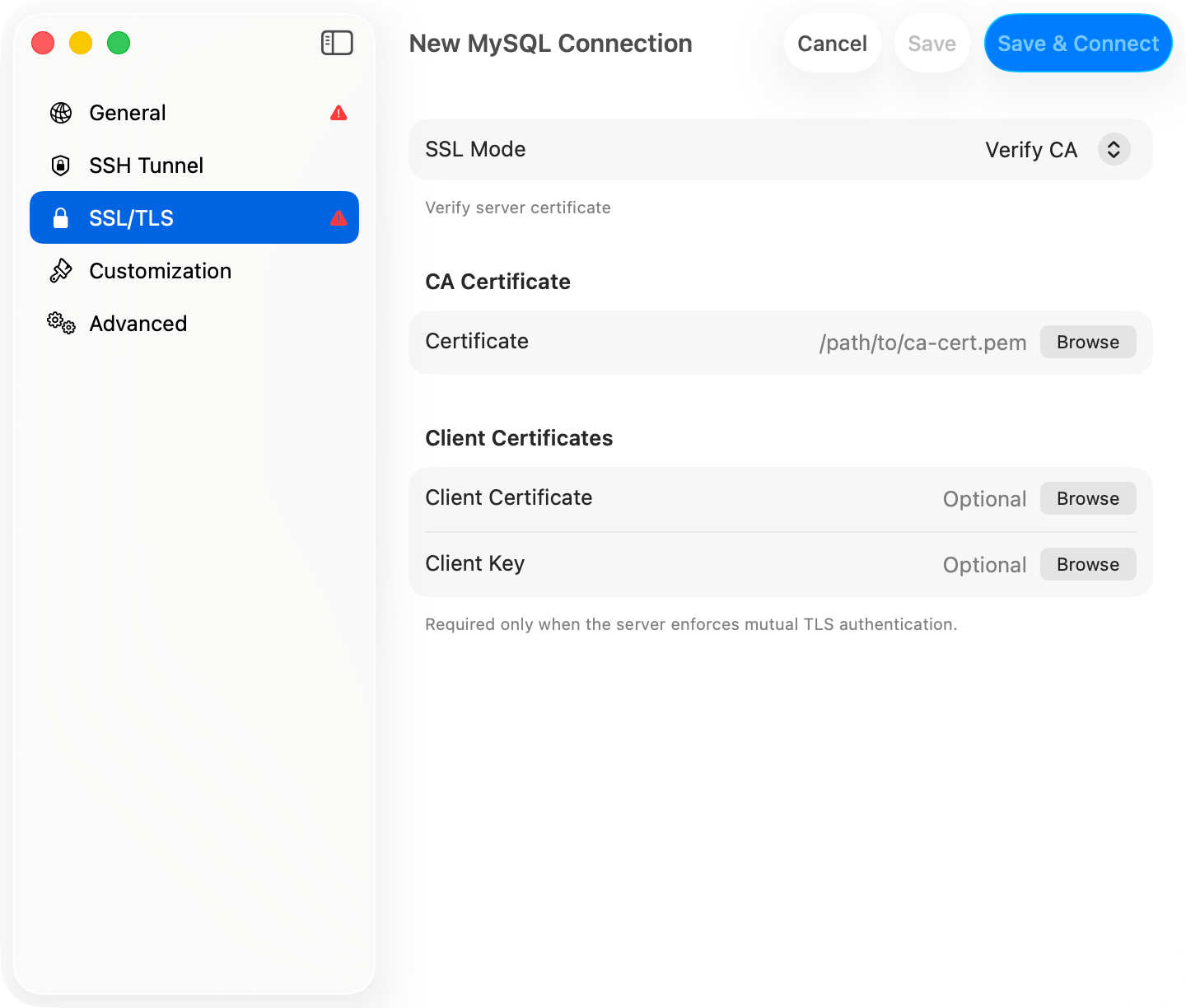
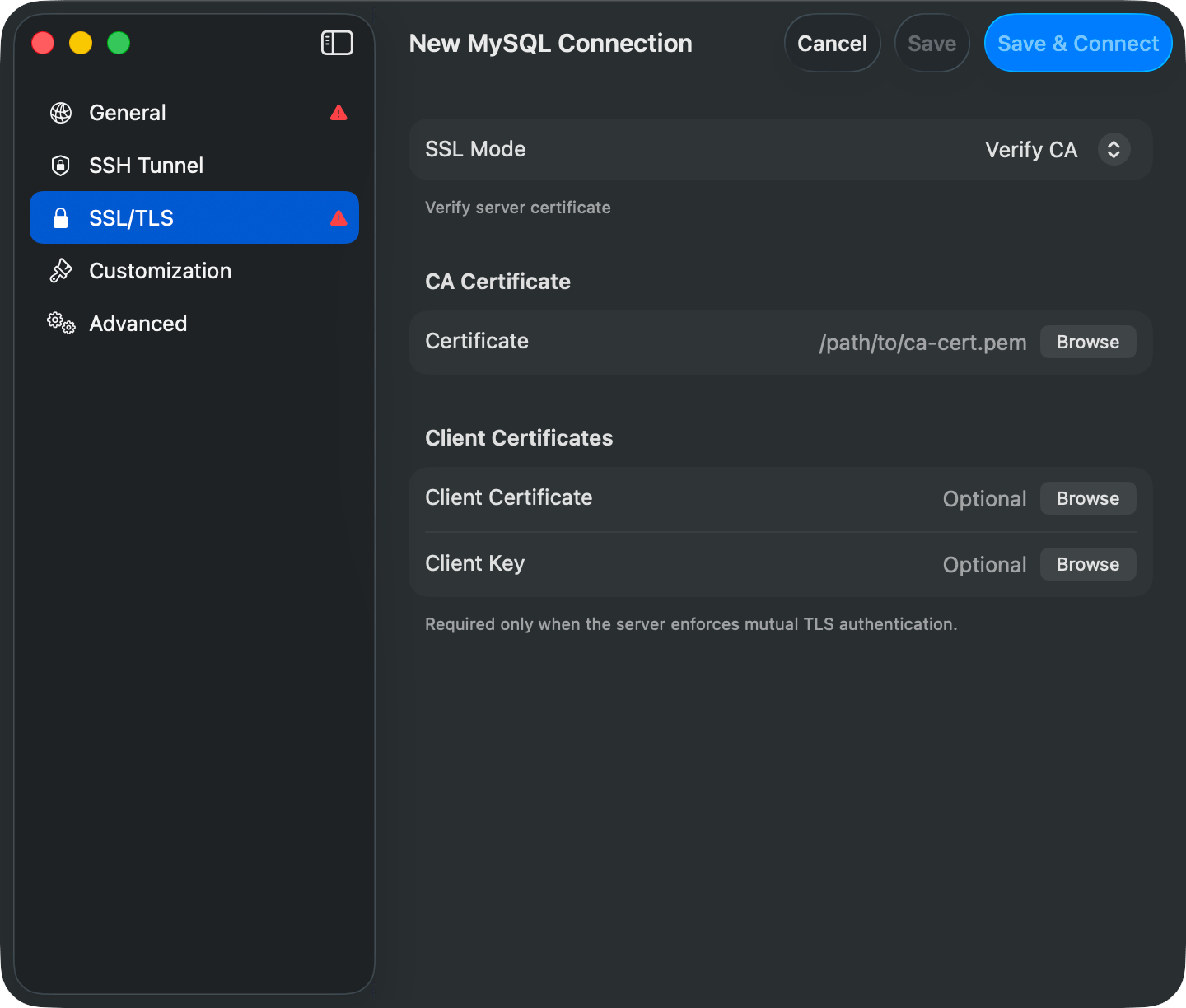
The certificate rows appear only once **SSL Mode** is anything but Disabled. Each takes a file path, with **Browse** to pick one.
| Field | When it appears | What it takes |
| ----------------------------------------- | ----------------------------------------------------------------------------------- | ------------------------------------------------------------------------------------------------------------ |
| **Certificate**, under **CA Certificate** | Verify CA and Verify Identity only | The PEM the server's certificate chains to, for example `/path/to/ca-cert.pem`. Saving without it is blocked |
| **Client Certificate** | Any mode but Disabled | Your certificate, for a server that enforces mutual TLS. Optional otherwise |
| **Client Key** | Any mode but Disabled | The matching private key. Required once a client certificate is set |
| **Key Passphrase** | Once **Client Key** has a path, on drivers that support it (Cassandra and ScyllaDB) | The passphrase of an encrypted key. Stored in the Keychain |
SQL Server shows no certificate fields at all. FreeTDS takes no per-connection paths and trusts the system store; a custom trust anchor goes in `freetds.conf` instead.
## Per-driver defaults
A new connection starts on the mode that matches the driver's own default, and the pane prints that driver's guidance under the picker where there is any.
| Driver | Default | What Preferred does |
| --------------------------------------------------------------- | ---------------- | --------------------------------------------------------------------------------------------------------------------------- |
| PostgreSQL, Redshift, CockroachDB | Preferred | libpq's own `sslmode=prefer` fallback to plain TCP. Same as `psql` and DataGrip |
| MySQL, MariaDB | Preferred | Tries TLS, then retries plain on an SSL handshake error. Auth and network errors are not retried |
| SQL Server | Preferred | FreeTDS `encryption=request`, falls back to plain |
| Teradata | Disabled | Opens a TLS transport, retries on a plain socket if it fails to come up |
| MongoDB, Redis, Cassandra, ClickHouse, Elasticsearch, SurrealDB | Disabled | Nothing. No fallback exists, so Preferred forces TLS exactly like Required |
| etcd | Disabled | Nothing. The driver never reads this pane. Set **TLS Mode** in the Advanced fields instead, and see [etcd](/databases/etcd) |
| Trino | Disabled | Sends every request over HTTPS with no fallback, again like Required |
| Oracle | Disabled | Connects in plain TCP, so it behaves like Disabled. The pane shows a red warning; use Required to enforce TCPS |
| Snowflake, BigQuery, DynamoDB, Cloudflare D1, libSQL / Turso | Always encrypted | These drivers are HTTPS and manage TLS themselves. No SSL/TLS pane |
| SQLite, DuckDB, Beancount, PGlite | None | Local files or an in-process engine. No SSL/TLS pane |
## Behind a tunnel
Verify CA and Verify Identity do not survive a tunnel. An SSH tunnel, Cloudflare tunnel, Cloud SQL Auth Proxy, or SOCKS proxy has the driver connect to `127.0.0.1`, and no server certificate is issued for that, so the mode drops to Required for the tunneled connection and the certificate paths are cleared. TLS itself still runs the whole way to the database; only the certificate check goes. If you need the check, reach the server without a tunnel.
Forwarding to a unix socket drops TLS altogether, because a socket cannot negotiate it. The SSH tunnel encrypts that path instead.
## Troubleshooting
A TLS failure is reported with the cause, a mode to switch to, and the driver's own response underneath, password redacted:
```text theme={null}
The server requires an encrypted connection but TablePro is configured to connect in plain text.
Open the connection editor, switch to the SSL tab, and set Mode to Required (or stricter).
Server response: FATAL: no pg_hba.conf entry for host "…", user "…", database "…", no encryption
```
### "FATAL: no pg\_hba.conf entry for host … no encryption"
The PostgreSQL server requires SSL and the connection is set to Disabled. Switch to **Preferred** or **Required (skip verify)**.
### "Connections using insecure transport are prohibited"
The MySQL server has `require_secure_transport=ON`. Switch to **Preferred** or **Required (skip verify)**.
### "SSL handshake failed" / "tls handshake failed"
Driver and server share no TLS version or cipher. Update the server, or on a development box drop to **Required (skip verify)**.
### "certificate verify failed" / "self-signed certificate"
The server's certificate chains to nothing in the system trust store. Set **Verify CA** and fill **Certificate** with the CA's PEM, or drop to **Required (skip verify)** to skip validation.
### "hostname does not match certificate"
The certificate's CN or SAN does not cover the host you typed. Switch to **Verify CA**, which still validates the chain, or change **Host** to a name the certificate covers.
### "client certificate required"
The server enforces mutual TLS. Fill in **Client Certificate** and **Client Key**.
### "client private key is encrypted" / "passphrase is incorrect"
Enter the key's passphrase in **Key Passphrase**, which appears once **Client Key** has a path.
## On iPhone and iPad
Four modes, Preferred excluded. MySQL, MariaDB, PostgreSQL, Redshift, and Redis get **CA Certificate**, **Client Certificate**, and **Client Key** rows alongside them; Oracle gets the four modes with no certificate rows, and SQL Server only Disabled and Required.
Each row takes a file or pasted text. **Client Certificate** also accepts a PKCS#12 (`.p12` or `.pfx`) and fills in both the certificate and its key from it. iOS cannot read a `.p12` exported without a password, and rejects a private key carrying its own passphrase: strip the passphrase or export a `.p12`.
Imported certificates never leave the device and never sync, so a connection set up on the Mac needs them imported again on each iPhone and iPad. See [TablePro for iPhone and iPad](/ios).
## Certificate fields
The certificate rows appear only once **SSL Mode** is anything but Disabled. Each takes a file path, with **Browse** to pick one.
| Field | When it appears | What it takes |
| ----------------------------------------- | ----------------------------------------------------------------------------------- | ------------------------------------------------------------------------------------------------------------ |
| **Certificate**, under **CA Certificate** | Verify CA and Verify Identity only | The PEM the server's certificate chains to, for example `/path/to/ca-cert.pem`. Saving without it is blocked |
| **Client Certificate** | Any mode but Disabled | Your certificate, for a server that enforces mutual TLS. Optional otherwise |
| **Client Key** | Any mode but Disabled | The matching private key. Required once a client certificate is set |
| **Key Passphrase** | Once **Client Key** has a path, on drivers that support it (Cassandra and ScyllaDB) | The passphrase of an encrypted key. Stored in the Keychain |
SQL Server shows no certificate fields at all. FreeTDS takes no per-connection paths and trusts the system store; a custom trust anchor goes in `freetds.conf` instead.
## Per-driver defaults
A new connection starts on the mode that matches the driver's own default, and the pane prints that driver's guidance under the picker where there is any.
| Driver | Default | What Preferred does |
| --------------------------------------------------------------- | ---------------- | --------------------------------------------------------------------------------------------------------------------------- |
| PostgreSQL, Redshift, CockroachDB | Preferred | libpq's own `sslmode=prefer` fallback to plain TCP. Same as `psql` and DataGrip |
| MySQL, MariaDB | Preferred | Tries TLS, then retries plain on an SSL handshake error. Auth and network errors are not retried |
| SQL Server | Preferred | FreeTDS `encryption=request`, falls back to plain |
| Teradata | Disabled | Opens a TLS transport, retries on a plain socket if it fails to come up |
| MongoDB, Redis, Cassandra, ClickHouse, Elasticsearch, SurrealDB | Disabled | Nothing. No fallback exists, so Preferred forces TLS exactly like Required |
| etcd | Disabled | Nothing. The driver never reads this pane. Set **TLS Mode** in the Advanced fields instead, and see [etcd](/databases/etcd) |
| Trino | Disabled | Sends every request over HTTPS with no fallback, again like Required |
| Oracle | Disabled | Connects in plain TCP, so it behaves like Disabled. The pane shows a red warning; use Required to enforce TCPS |
| Snowflake, BigQuery, DynamoDB, Cloudflare D1, libSQL / Turso | Always encrypted | These drivers are HTTPS and manage TLS themselves. No SSL/TLS pane |
| SQLite, DuckDB, Beancount, PGlite | None | Local files or an in-process engine. No SSL/TLS pane |
## Behind a tunnel
Verify CA and Verify Identity do not survive a tunnel. An SSH tunnel, Cloudflare tunnel, Cloud SQL Auth Proxy, or SOCKS proxy has the driver connect to `127.0.0.1`, and no server certificate is issued for that, so the mode drops to Required for the tunneled connection and the certificate paths are cleared. TLS itself still runs the whole way to the database; only the certificate check goes. If you need the check, reach the server without a tunnel.
Forwarding to a unix socket drops TLS altogether, because a socket cannot negotiate it. The SSH tunnel encrypts that path instead.
## Troubleshooting
A TLS failure is reported with the cause, a mode to switch to, and the driver's own response underneath, password redacted:
```text theme={null}
The server requires an encrypted connection but TablePro is configured to connect in plain text.
Open the connection editor, switch to the SSL tab, and set Mode to Required (or stricter).
Server response: FATAL: no pg_hba.conf entry for host "…", user "…", database "…", no encryption
```
### "FATAL: no pg\_hba.conf entry for host … no encryption"
The PostgreSQL server requires SSL and the connection is set to Disabled. Switch to **Preferred** or **Required (skip verify)**.
### "Connections using insecure transport are prohibited"
The MySQL server has `require_secure_transport=ON`. Switch to **Preferred** or **Required (skip verify)**.
### "SSL handshake failed" / "tls handshake failed"
Driver and server share no TLS version or cipher. Update the server, or on a development box drop to **Required (skip verify)**.
### "certificate verify failed" / "self-signed certificate"
The server's certificate chains to nothing in the system trust store. Set **Verify CA** and fill **Certificate** with the CA's PEM, or drop to **Required (skip verify)** to skip validation.
### "hostname does not match certificate"
The certificate's CN or SAN does not cover the host you typed. Switch to **Verify CA**, which still validates the chain, or change **Host** to a name the certificate covers.
### "client certificate required"
The server enforces mutual TLS. Fill in **Client Certificate** and **Client Key**.
### "client private key is encrypted" / "passphrase is incorrect"
Enter the key's passphrase in **Key Passphrase**, which appears once **Client Key** has a path.
## On iPhone and iPad
Four modes, Preferred excluded. MySQL, MariaDB, PostgreSQL, Redshift, and Redis get **CA Certificate**, **Client Certificate**, and **Client Key** rows alongside them; Oracle gets the four modes with no certificate rows, and SQL Server only Disabled and Required.
Each row takes a file or pasted text. **Client Certificate** also accepts a PKCS#12 (`.p12` or `.pfx`) and fills in both the certificate and its key from it. iOS cannot read a `.p12` exported without a password, and rejects a private key carrying its own passphrase: strip the passphrase or export a `.p12`.
Imported certificates never leave the device and never sync, so a connection set up on the Mac needs them imported again on each iPhone and iPad. See [TablePro for iPhone and iPad](/ios).