> ## Documentation Index
> Fetch the complete documentation index at: https://ngquct-docs-fix-500-query-results.mintlify.site/llms.txt
> Use this file to discover all available pages before exploring further.
# iCloud Sync
> Sync connections, table favorites, settings, and SSH profiles across Macs and iOS via iCloud
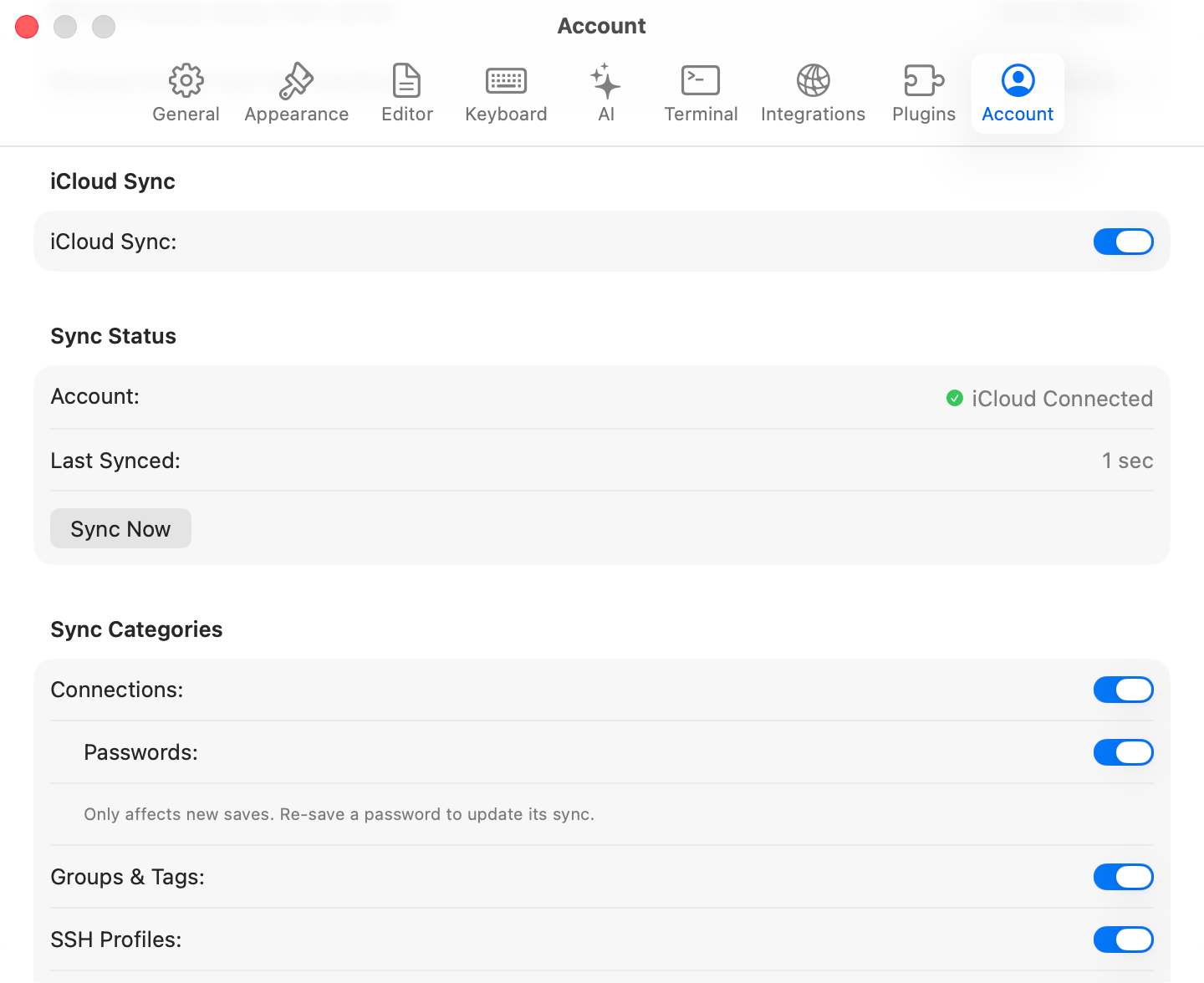
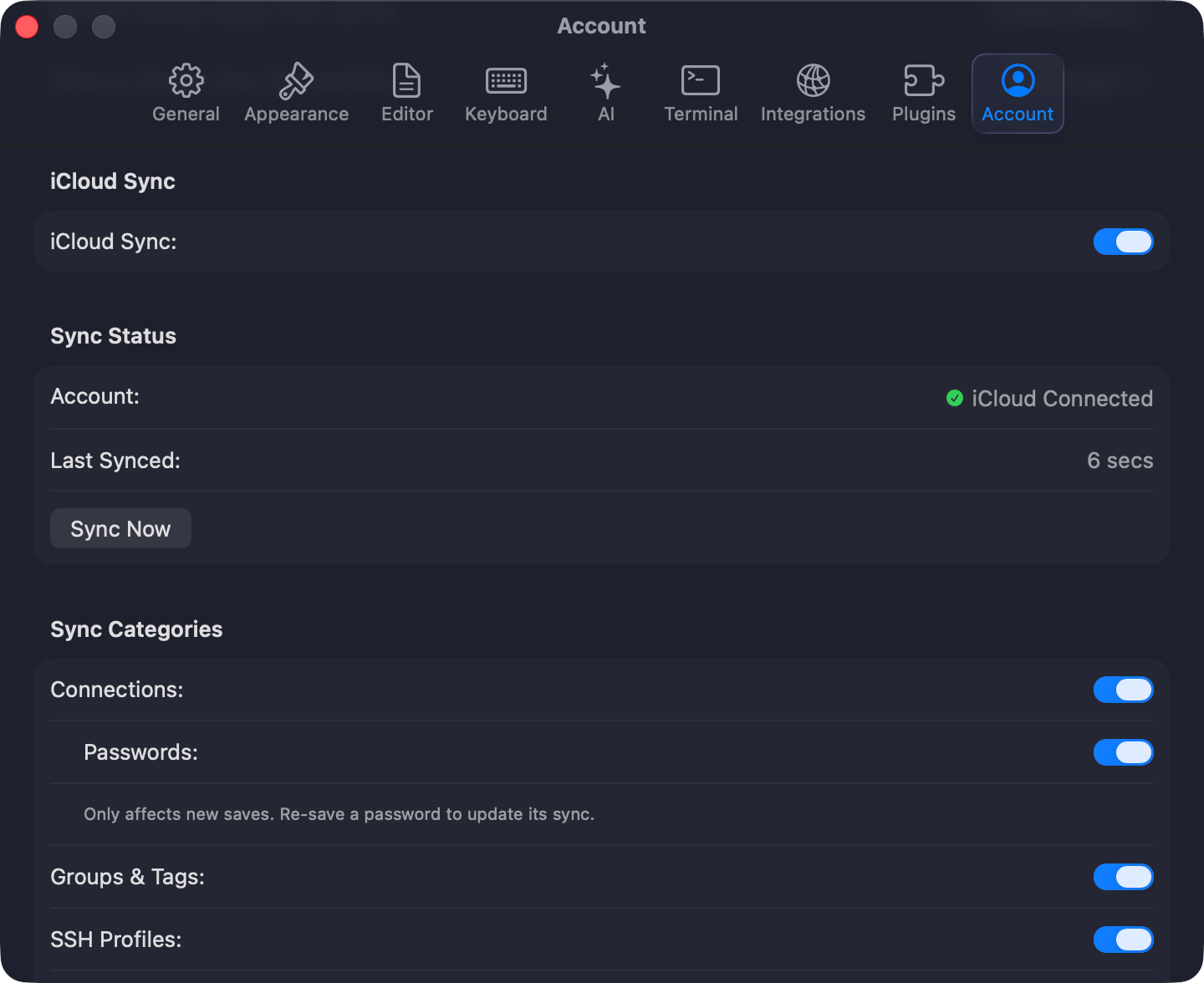
Sync needs a Starter or Team [license](/features/licensing) and starts off. Press `Cmd+,`, open **Settings > Account**, turn on **iCloud Sync**, pick the categories, and click **Sync Now**. The iPhone and iPad app shares the same CloudKit data but carries connections, groups, and tags only.
 ## What syncs
Each synced category has its own toggle under **Sync Categories**.
| Data | Synced | Notes |
| ---------------------- | ------ | ------------------------------------------------------------------------------------------------------------------------------------------------------------------------------------------------------------------------------------------------------- |
| **Connections** | Yes | Host, port, username, database type, SSH/SSL config |
| **Passwords** | Opt-in | Nested under Connections, and carried by Apple's iCloud Keychain rather than TablePro's own records. Turning it on affects new saves only, so re-save a password to sync it. On iPhone and iPad the same switch is **Settings > Sync > Sync Passwords** |
| **Groups & Tags** | Yes | Nested group hierarchy and sort order included |
| **SSH Profiles** | Yes | Named [SSH profiles](/connections/ssh-profiles) |
| **Table Favorites** | Yes | The names shown in the Favorites tab and pinned in table lists |
| **Saved Queries** | Yes | Saved SQL and their folders |
| **Settings** | Yes | General, Appearance, Editor, Data Grid, History, Tabs, Keyboard, and AI settings, plus custom AI slash commands and saved per-table column widths and order |
| **Linked SQL Folders** | No | Folder paths are per-Mac. Link the same Git repo on each Mac after cloning. The cached file index stays local too |
| **Sidebar state** | No | The sidebar's database filter and recent tables lists stay on each Mac |
A sync runs at launch, when you switch back to the app, and 2 seconds after you change anything synced.
## Keeping a connection off iCloud
A localhost or throwaway database is rarely worth a round trip. Mark it **Local only** in the connection form's **Advanced** pane, or right-click it and choose **Exclude from iCloud Sync**. They show a struck-through cloud icon in the connection list, and the flag survives duplicating and exporting.
## Checking that it worked
The **Sync Status** section answers this: **Account** reads iCloud Connected or Not Available, **Last Synced** gives the relative time of the last successful run, and a failure prints in red under **Sync Now**.
When the same connection changed on two devices, TablePro merges field by field, so a name edited on one Mac and a port edited on the other both survive. When one field changed in both places, the device that syncs last wins.
## Troubleshooting
If nothing syncs, confirm iCloud is signed in and iCloud Drive is enabled, then click **Sync Now**. For "iCloud account unavailable", sign in through **System Settings > Apple Account**.
Signing into a different iCloud account clears TablePro's sync metadata, so the next sync is a full fetch rather than a delta. Expect it to take longer once.
When a license expires, sync stops and local data stays where it is. Re-activate to resume.
## What syncs
Each synced category has its own toggle under **Sync Categories**.
| Data | Synced | Notes |
| ---------------------- | ------ | ------------------------------------------------------------------------------------------------------------------------------------------------------------------------------------------------------------------------------------------------------- |
| **Connections** | Yes | Host, port, username, database type, SSH/SSL config |
| **Passwords** | Opt-in | Nested under Connections, and carried by Apple's iCloud Keychain rather than TablePro's own records. Turning it on affects new saves only, so re-save a password to sync it. On iPhone and iPad the same switch is **Settings > Sync > Sync Passwords** |
| **Groups & Tags** | Yes | Nested group hierarchy and sort order included |
| **SSH Profiles** | Yes | Named [SSH profiles](/connections/ssh-profiles) |
| **Table Favorites** | Yes | The names shown in the Favorites tab and pinned in table lists |
| **Saved Queries** | Yes | Saved SQL and their folders |
| **Settings** | Yes | General, Appearance, Editor, Data Grid, History, Tabs, Keyboard, and AI settings, plus custom AI slash commands and saved per-table column widths and order |
| **Linked SQL Folders** | No | Folder paths are per-Mac. Link the same Git repo on each Mac after cloning. The cached file index stays local too |
| **Sidebar state** | No | The sidebar's database filter and recent tables lists stay on each Mac |
A sync runs at launch, when you switch back to the app, and 2 seconds after you change anything synced.
## Keeping a connection off iCloud
A localhost or throwaway database is rarely worth a round trip. Mark it **Local only** in the connection form's **Advanced** pane, or right-click it and choose **Exclude from iCloud Sync**. They show a struck-through cloud icon in the connection list, and the flag survives duplicating and exporting.
## Checking that it worked
The **Sync Status** section answers this: **Account** reads iCloud Connected or Not Available, **Last Synced** gives the relative time of the last successful run, and a failure prints in red under **Sync Now**.
When the same connection changed on two devices, TablePro merges field by field, so a name edited on one Mac and a port edited on the other both survive. When one field changed in both places, the device that syncs last wins.
## Troubleshooting
If nothing syncs, confirm iCloud is signed in and iCloud Drive is enabled, then click **Sync Now**. For "iCloud account unavailable", sign in through **System Settings > Apple Account**.
Signing into a different iCloud account clears TablePro's sync metadata, so the next sync is a full fetch rather than a delta. Expect it to take longer once.
When a license expires, sync stops and local data stays where it is. Re-activate to resume.