

GRANT and REVOKE statements, and press Execute.
Available on MySQL, MariaDB, PostgreSQL, and PGlite. Open it from Database > Users & Roles; the command is dimmed on every other connection.
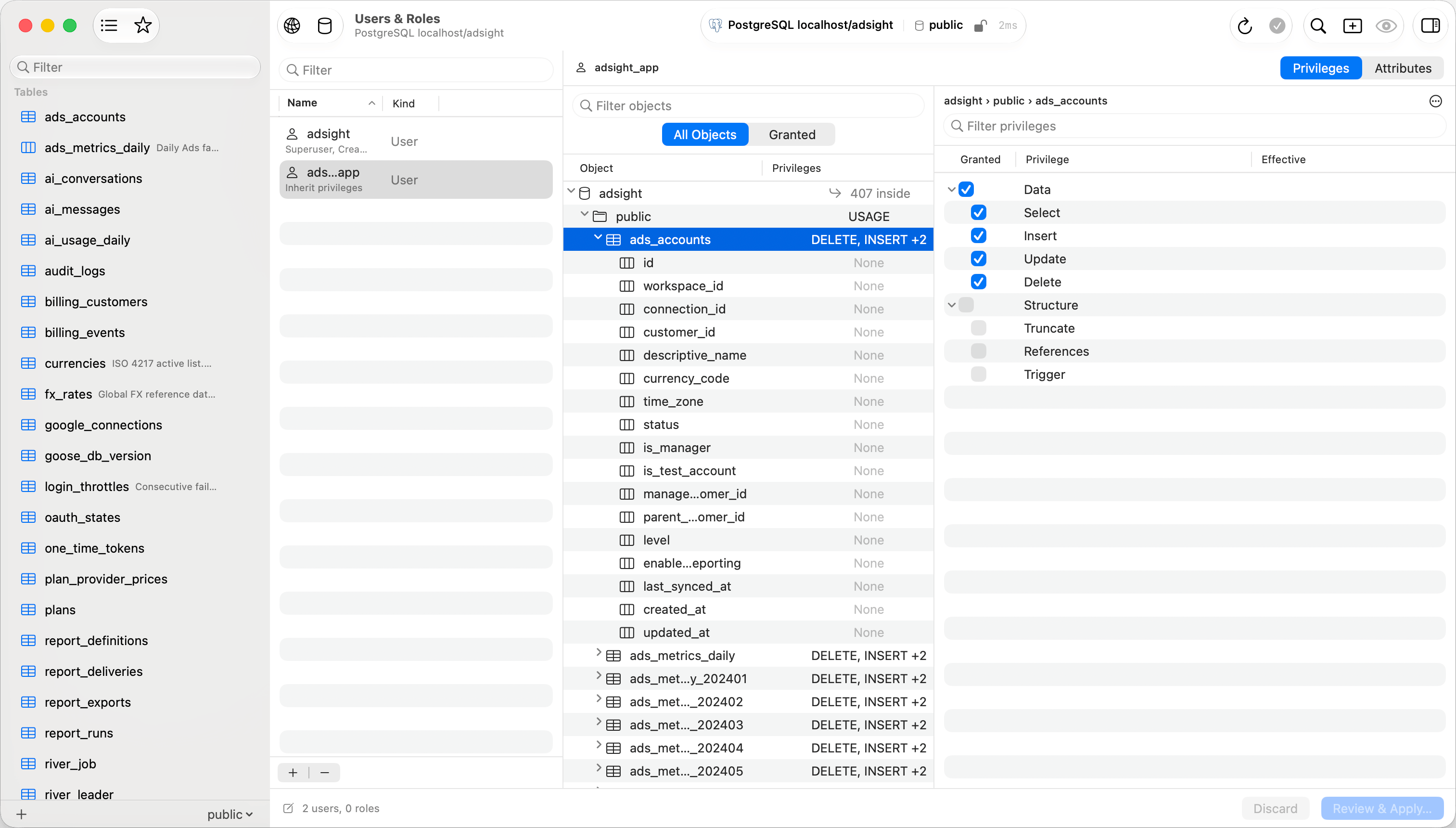
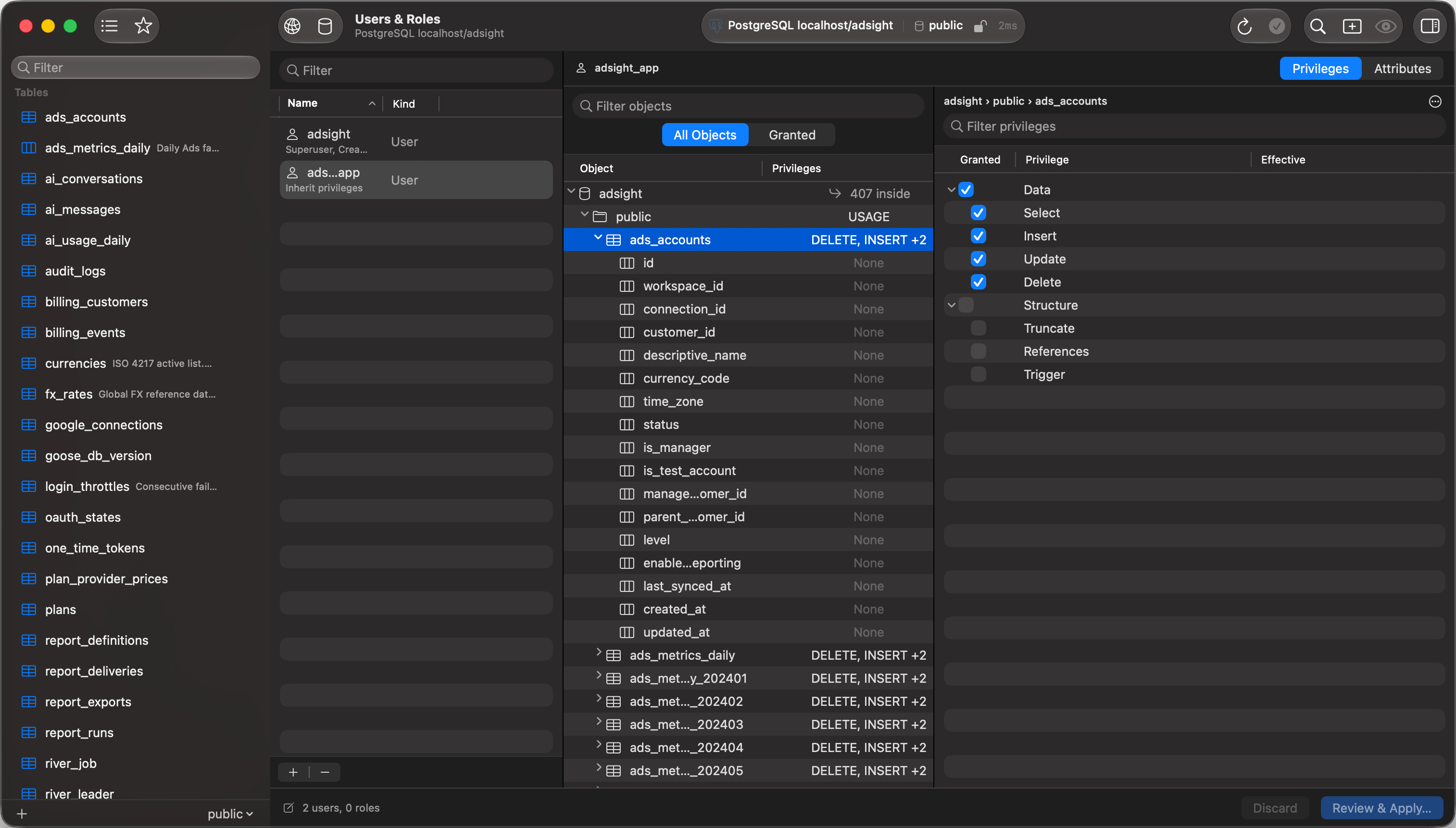
Users & Roles: accounts on the left, objects in the middle, privileges on the right
Create a read-only account
1
Create the account
Click + under the account list. The sheet asks for a kind (User or Role), a name, a host on MySQL and MariaDB, and a password; Generate produces a random 20-character one with the lookalike characters left out and reveals it for copying.
2
Grant the way in
Select the account, then the database in the Objects pane, and select Connect under Administration. On PostgreSQL, select the schema as well and its Usage privilege.
3
Grant the reads
Expand the schema, select its tables (Shift-click for a range, Cmd-click to add one), and select the Select privilege under Data. A privilege set against several objects of one kind is granted on all of them.
4
Apply
Review & Apply… in the bottom bar lists the statements. Execute runs them; Open in Query Editor hands them to a query tab instead.
The three panes
Accounts sit on the left, with a filter field and the + / - buttons. Objects sit in the middle: the server, its databases, and, as you expand them, schemas, tables, and columns, each row carrying a Privileges summary of what the selected account holds there. Privileges sit on the right, listing only what the selected object can be granted, grouped into Data, Structure, Administration, and Dynamic. The last two start collapsed, and the bulk menu offers Grant All and Revoke All.Effective privileges
A selected checkbox says what is granted directly on that object. The Effective column says where access actually comes from:- Inherited from
role: the account holds it through a role it belongs to. PostgreSQL roles are followed transitively, and an account markedNOINHERITonly gets the privilege afterSET ROLE, which the column says. - Granted on
object: a privilege on a parent object already covers this one. Whether it does is the engine’s rule: a MySQL database-level grant covers the tables inside it, a PostgreSQL one does not.
Granting and revoking
Toggling a checkbox stages a change, marked on the account, the object, and the privilege. Toggling the same box twice cancels the pair out instead of generating a redundantREVOKE, and a privilege that was grantable to others stays grantable. Copy Privileges From in an account’s context menu stages the whole set another account holds.
Account attributes
The Privileges / Attributes switch opens a form for the account itself: whether it can log in, role attributes such asSUPERUSER or CREATEDB on PostgreSQL, role membership (Member of, with Edit… for a checklist), and the connection limit. These stage and apply with everything else.
Change Password, in the context menu and on the Attributes form, sets a new one. Statements that carry a password, CREATE USER and ALTER USER among them, are never written to query history, which is stored unencrypted on disk.
Applying changes
The bar at the bottom counts staged changes. Discard throws the set away; Review & Apply… shows every statement, including the ones that remove access, with Copy All, Open in Query Editor, and Execute. PostgreSQL runs them in one transaction, so a failure rolls the set back. MySQL commits user management statements implicitly, so a failure there leaves the earlier ones applied and reports how many. A successful apply re-reads the server. Changes take the same guards as any other write: a read-only connection blocks them, and Safe Mode asks for confirmation or authentication as configured.Dropping the account this connection uses, altering it, or revoking every privilege from it is called out in the review sheet before the SQL runs. It is not blocked: revoking your own admin rights can be deliberate.
Dropping an account
Select it and press Delete, click -, or use the context menu. The drop is staged and struck through, andCmd+Z undoes it.
On PostgreSQL a role that owns objects cannot be dropped outright, so a sheet asks whether to reassign the owned objects to another role or drop them, generating REASSIGN OWNED or DROP OWNED alongside the DROP ROLE.
REASSIGN OWNED and DROP OWNED reach only the database you are connected to, plus shared objects. A role that owns objects in several databases needs the same step run in each. That is PostgreSQL behavior, not a TablePro limitation.Limitations
WITH GRANT OPTIONis displayed, and never silently removed, but it cannot be edited.ALTER DEFAULT PRIVILEGESandGRANT … ON ALL TABLES IN SCHEMAare out of scope.- MySQL 8 roles: MySQL accounts are managed as users.
- Renaming an account.
- PostgreSQL keeps schema, table, and column privileges per database and cannot read them for a database it is not connected to. Those databases still appear, still show their cluster-wide grants, and are marked as not browsable rather than shown as empty. MySQL has no such restriction.